

ChildNet was designed for the standard 1024 x 768 (pixel) screen. 1024 x 768 is a measurement of the screen resolution setting found in the system settings control panel in the operating system software. When discussing Web browsers, this translates to the dimensions of the exterior of that browser and not the content area provided inside the browser.
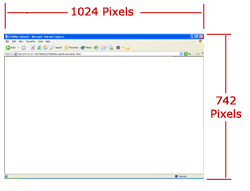 The true dimensions of workable real estate are determined only after the height and width of the maximum tool bar at the top of the browser, borders, and scrollbars have been subtracted from the exterior total of 1024 x 768. 168 pixels are lost by the browser on the top and bottom while only 4 pixels are lost from the left and right. On average, this workable area dimension comes out to 1020 x 600 pixels. 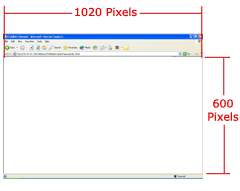 |
 |