|
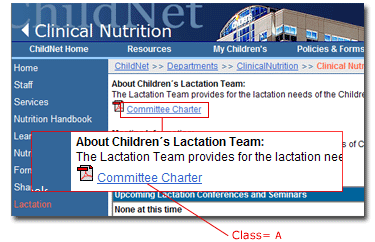
The following example depicts links found within copy. Links of this type also can be found associated with photos. A direct link within the copy is underlined to assist the user in recognizing its interactivity.
Classes used for the navigational text links are indicated in red. For specific details on classes, please see the Style Sheet Glossary.
|
 |
Building Links
There are 4 types of links you can build within Contribute.
- Internal links are links within the department site. Anchors are links to
a set area within the open page.
- Smart links can be built to send the viewer to a previous page or next
page within the department site.
- External links are to any WWW site. These type of links require some HTML
coding. For step by step instructions on the required HTML coding,
visit:
Making hyperlinks with Contribute
- File links are links to documents in formats such as .PDF, .DOC, .XLS,
.DOT and to links to other department sites within the
Intranet.
- Attached files such as PDFs should only be used for Policies and
documents that must be printed for signature, such as job descriptions.
- Movie, sound and video formatted files are not allowed.
|
|
|
|